Markdown, With a Calendar Attached
On bringing native Calendar, Reminders, and on-device AI to your markdown vault
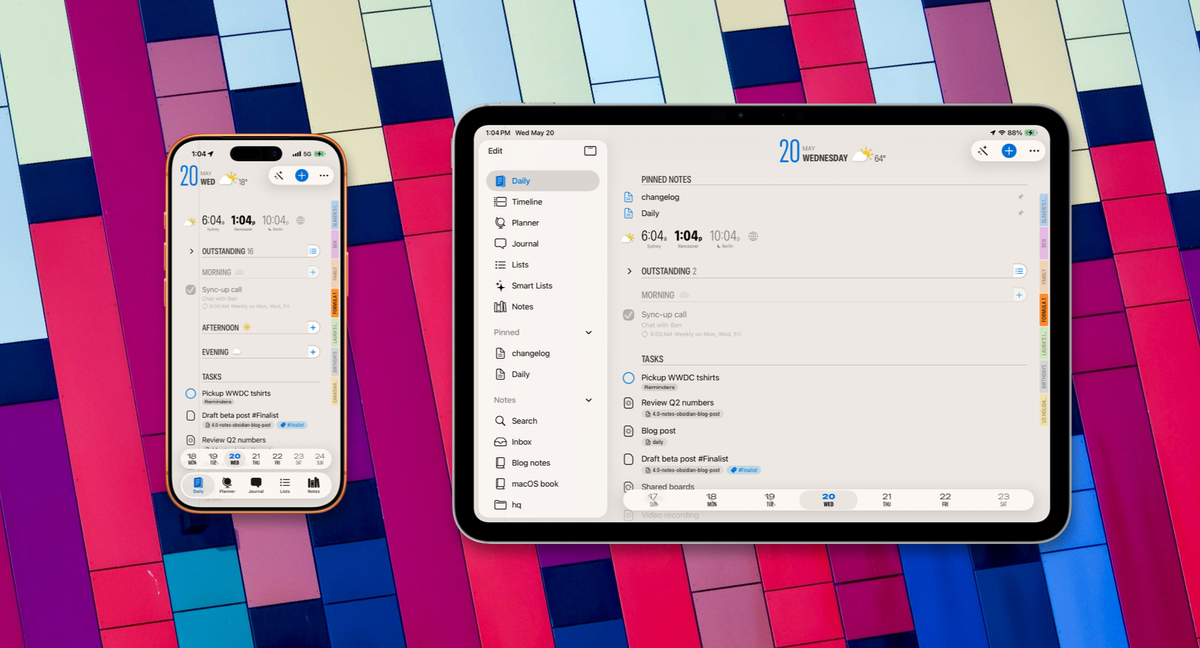
My Obsidian vault has been the brain for my projects for years. Specs, design notes, half-finished posts, half-brained ideas, the running todo list inside every project file tied to GitHub. It integrates with Claude Code and GitHub tools, and lets me focus on the actual work. The one thing I never had was a calendar around it, since for those purposes I had Finalist. The vault knew what I was working on, but timelines were hard to pin down.
The other downside: it was awful to use on iPhone so I generally didn't. This became easier with Claude's remote sessions that could surface my work remotely, but a very weird way to get stuff done.
When the time came to add Notes to Finalist, having markdown files live as first-class objects alongside my agenda was always a must. But why stop there?
What if any tasks found inside markdown files were also visible and editable like any other task in Finalist?
My Daily tab would show any markdown tasks due that day. I could check them off, or punt to tomorrow like any other Finalist task.
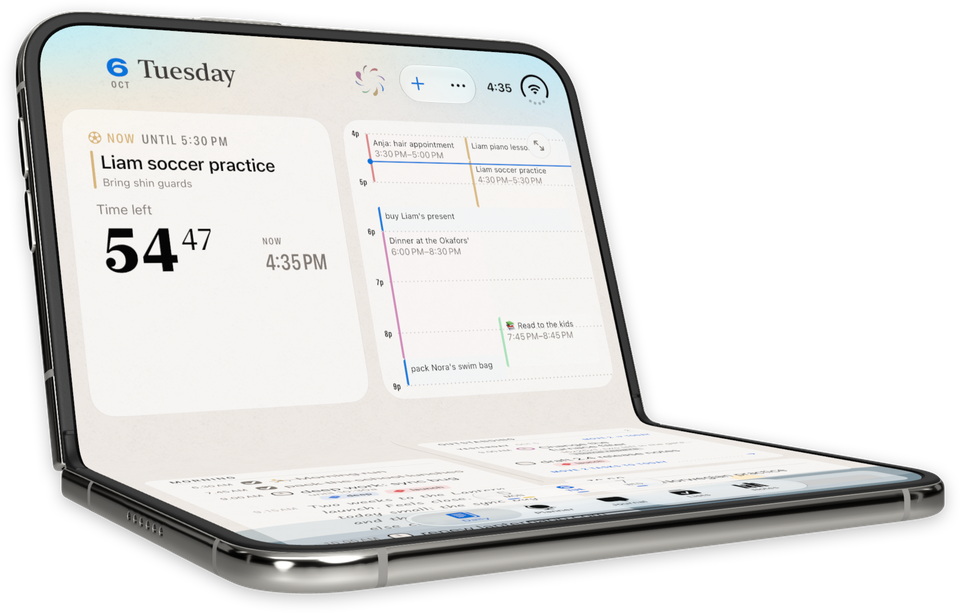
My markdown tasks would appear inside the Finalist widget when due.
Finalist could literally read out today's agenda in the morning, and highlight any markdown entries due today, or that I missed yesterday.
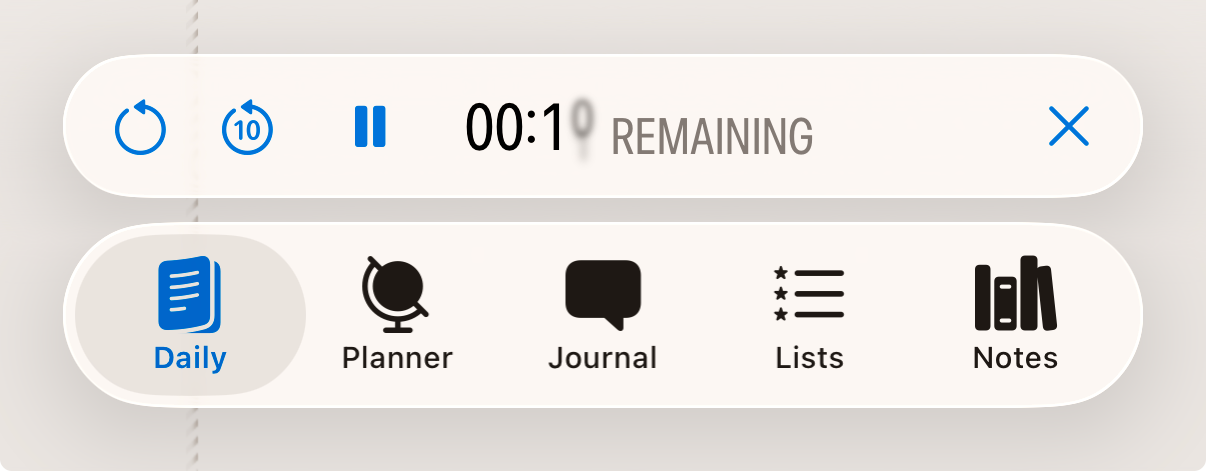
Important markdown files or even tasks from that file could be pinned to Today so they're at my fingertips when I need them.
All of this had to painlessly sync with the actual markdown file, so that it remained the source of truth and ready for me (and Claude).
Finalist now has all of these pieces in place, currently in the latest beta. My vault sits in an iCloud folder, accessible on my iPhone, iPad and Mac:
2-minute demo of markdown files inside Finalist for iPad
Point Finalist at your vault
Open the new Notes tab, tap the PLUS menu, and pick a folder. Your iCloud Obsidian vault, a Working Copy clone of a GitHub-hosted vault, a plain folder of .md files anywhere the Files app can see, they all work the same way. Finalist scans the folder, watches it for changes, and shows every markdown file as a note inside a notebook. Sub-folders become sub-notebooks. The files stay where they live, syncing through whatever you already had set up (I use iCloud Files). Finalist does not copy them, does not lock them, does not rewrite them on its own schedule.
But Finalist does add a dash of magic to your folder of markdown files.
The twist: tasks in your markdown become tasks in Finalist
A markdown checkbox like this:
- [ ] Draft beta post 📅 2026-05-20 #Finalist
Shows up in Finalist as a real task.

It has its due date. It carries the tag. You'll see it on the Daily tab on May 20th, sitting next to your native tasks, reminders and Calendar entries. Tap to complete it and the markdown file updates underneath, the - [ ] becomes - [x]. Reorder it on Daily and Finalist remembers the new order locally for that day; the file itself stays untouched.
A quick implementation detour
A great chance to skip ahead to the next section if minutia does not interest you.
The supported task syntax follows Obsidian's Tasks plugin emoji format:
📅 YYYY-MM-DDdue⏳ YYYY-MM-DDscheduled🛫 YYYY-MM-DDstart➕ YYYY-MM-DDcreated✅ YYYY-MM-DDdone❌ YYYY-MM-DDcancelled🔁 every weekrecurrence⏫ 🔼 🔽 ⏬priorities#taginline tags
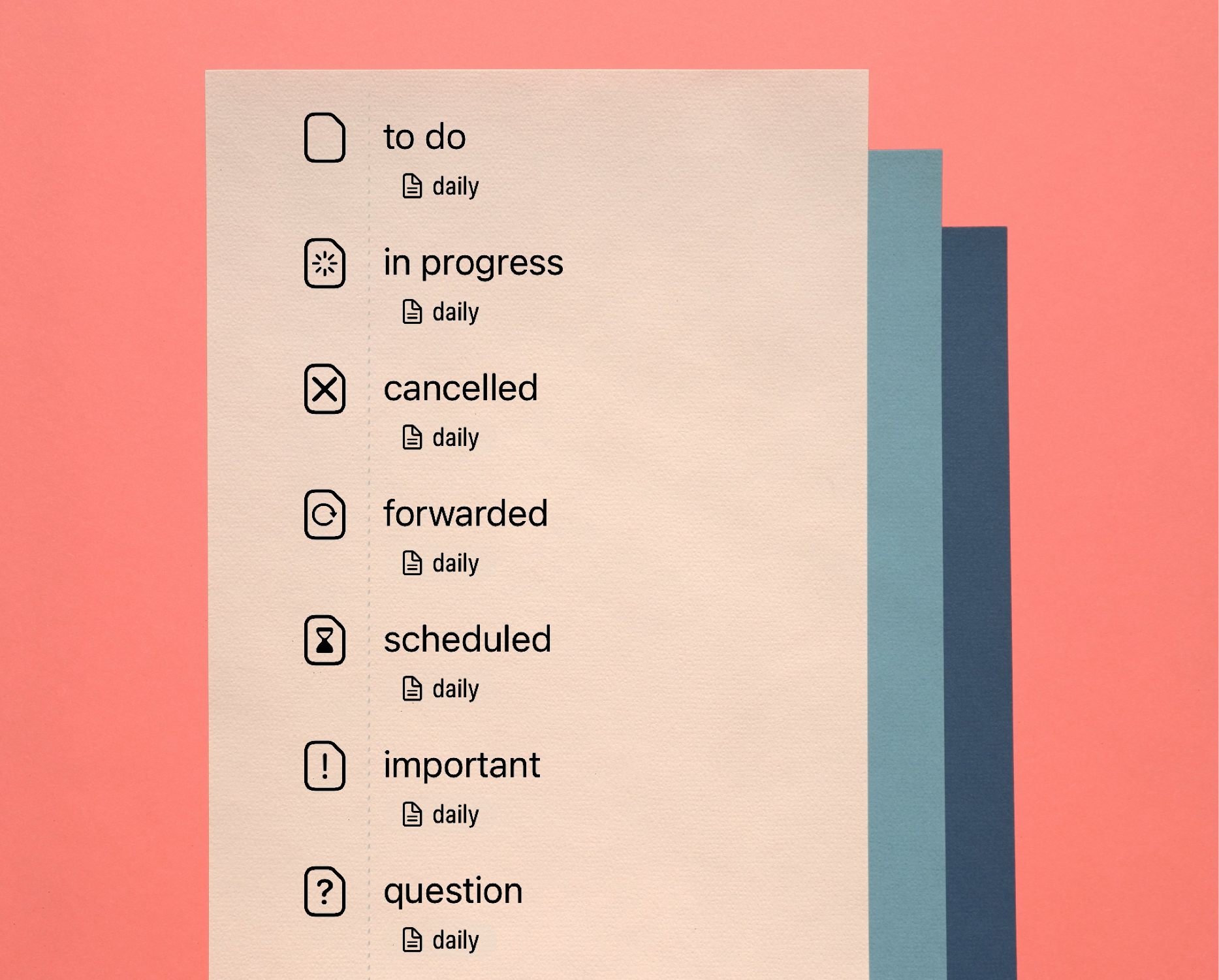
Beyond the standard [ ] and [x], Finalist reads the extended Obsidian Tasks status set:
[/]in progress[-]cancelled[>]forwarded[<]scheduled[!]important[?]question
Each renders its own icon, even in the widget.
Thanks to some very helpful people in our Discord, Finalist also parses Dataview-style inline fields on tasks:
- [ ] Review Q2 numbers [due:: 2026-05-20] [priority:: high]
If you've been using Dataview to query your tasks, those same lines light up in Finalist with no rewrite. It maps the common keys (due, scheduled, start, created, done, priority, recurrence) to the same fields the emoji format uses. Mix and match as you like, the two formats coexist in the same file.
A long-standing pattern in daily-note vaults is to put the date in frontmatter once and leave the tasks below undated:
---
date: 2026-05-18
tags: [daily]
---

- [ ] Morning standup
- [ ] Email Ghost list
Tasks without their own date now inherit the note's frontmatter date, so the entire daily note's task list lands on the right day automatically. If a task has its own 📅 emoji or [due::] field, that wins, and frontmatter stays as the fallback.
When you edit tags or the pin-date on a markdown note from inside Finalist, the YAML in the file updates. Unknown keys are preserved untouched, so if you have aliases, cssclass, publish, custom Dataview fields, anything, they round-trip without surprise.
Long-press a markdown note and Pin it to Today. The note's tasks show up on Today view as regular tasks, even if you didn't date them for today. This is great for ongoing task lists: when the clock ticks over to tomorrow, the pinned file's tasks move to the new today.
On iPad and Mac, the pinned lists, notes, and files show up in your sidebar one tap away.
Powering up markdown workflows
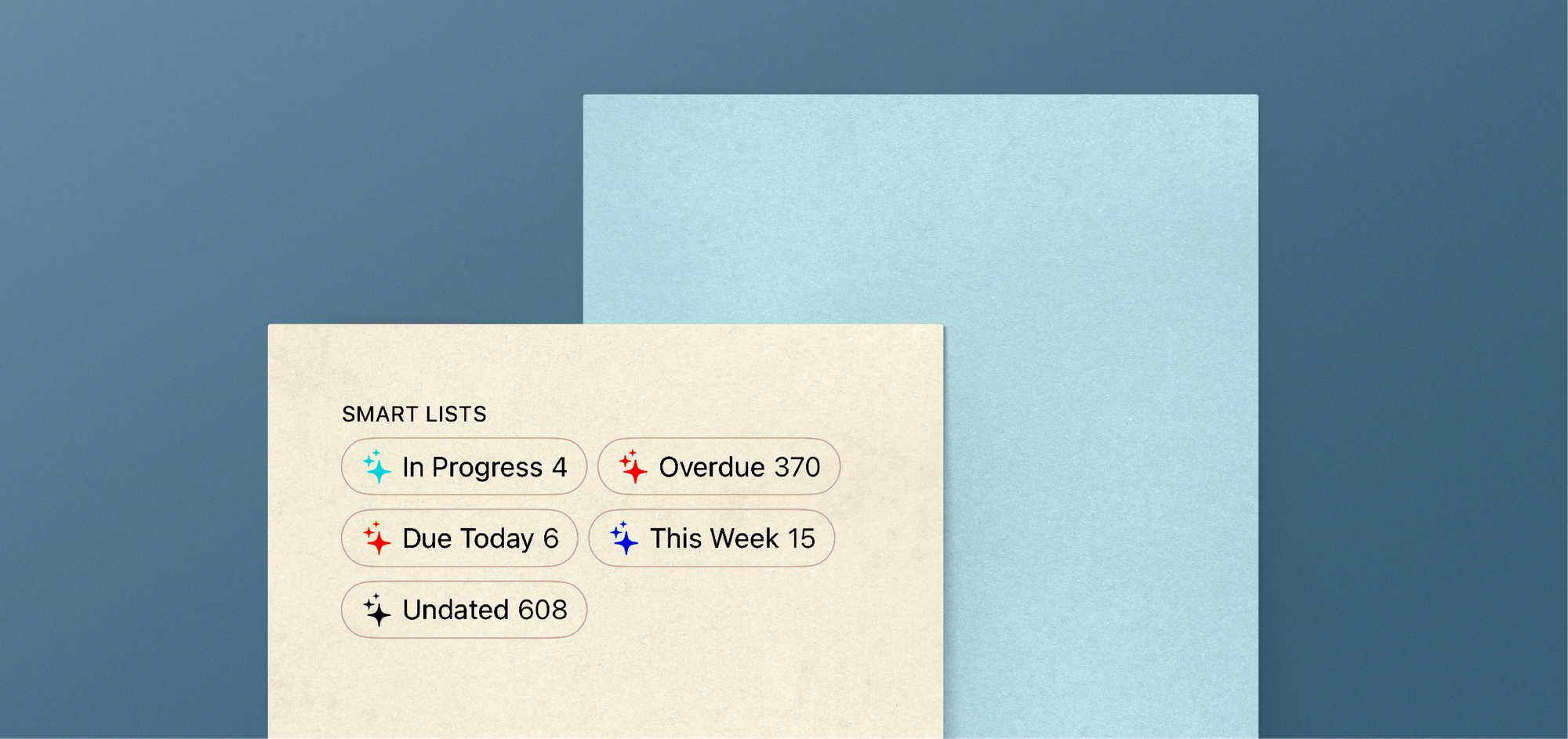
My vault is quite large, and I have tasks spread across many files and folders. This is where Smart Lists come into play: they span every task source you've connected, native Finalist items, Reminders, and markdown tasks from your vault. It instantly pulls tasks that are:
- Overdue
- Due Today
- This Week
- Undated
- In Progress (using the
[/]status from above)
Date-range filters like Overdue and This Week group results by day, so they read like a small agenda.
The same lists feed an audio briefing. Ask Siri what's on your agenda (or tap a shortcut on the Lock Screen) and Finalist reads out today across every source, flagging markdown entries as such. Useful in the kitchen, on the AirPods walk, or before I've even picked up the phone.
The Home Screen Widget shows markdown tasks alongside native ones, with full markdown formatting. If you reorder your tasks in Daily, the widget honors that order. If a glance-at-today widget is part of your routine, now you can add your vault to it.
Global Search reaches into both native Finalist notes and connected markdown files. The tag cloud in Notebooks pulls tags from both sources and treats them as one set. Tap #Finalist and you'll see hits from your vault and from your native notes side by side.
Local AI has something to say too
There are great markdown editors on iOS and macOS, and there are great planners on iOS and macOS. The thing I never found was a planner that respected an existing markdown setup enough to read from it instead of asking me to migrate.
I use Finalist alongside Obsidian every day. The vault lives in iCloud, so all my Finalists (iPhone, iPad, and Mac) read and write to it. Claude Code reads the same files when I'm at my desk.
The pleasant surprise has been that markdown + frontmatter + Dataview allows coding agents to read and write it fluently. My iPhone and my agenda picks up any changes automatically. No integration to set up, no API to authenticate.
Finalist already leans on Apple's Foundation Models framework for the things that should never leave the phone: titling a dictated note, extracting tasks out of a rambled paragraph, recognizing dates in free-form text. As these on-device models keep improving, the surface widens: we can do local summaries, automatic tagging, with an agent that lives entirely on your phone.
That's the part I think matters most, the flexibility. Closed-database planners ask you to trust them with your data and to wait for their AI roadmap to catch up to yours. A planner built on plain markdown files is the opposite bet: your data is already portable, already legible to every tool you'll use this year and next, and any model, anywhere, can act on it.
How to join the beta
Grab the TestFlight build from https://finalist.works/beta and get started right away. There's now a dedicated #notes channel on the Finalist Discord where the people shaping this part of the app hang out. If you connect a vault and something breaks, post there or just email me.
Finalist Beta is iOS 18+ and macOS 15+.