Taking It on the Road
Finalist 3.7 brings a World Clock to your Daily view, photo stamps that remember where you were, and a new Layout system that lets you arrange your day exactly the way you want it.

Finalist 3.7 was born from a month of travel. I spent March in Australia and road tested some fun new ways of using my phone. Coordinating across timezones, pinning memories to places, checking weather in cities ahead. This update brings all of that into your planner: a World Clock that lives right in your Daily view, photo stamps that remember where you were, and a new Layout system that lets you arrange your day exactly the way you want it.
A 3-minute tour of Finalist 3.7
World Clock
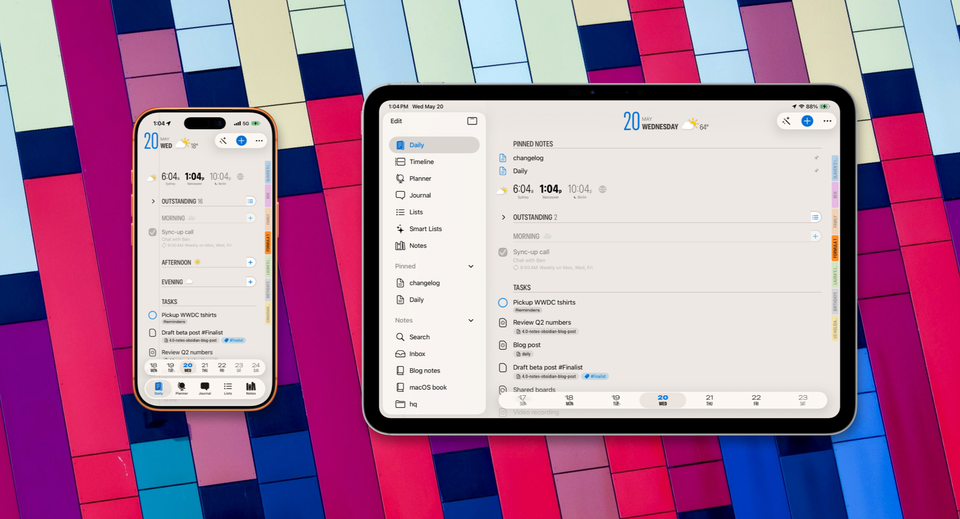
Track times around the world, right from your Daily view. Add any city as a compact stamp with a live time, a weather icon, and a tap-to-open daily or hourly forecast. Your clocks sync across devices via iCloud, so the setup you build on your iPad shows up on your iPhone and Mac too.
It goes deeper than a lineup of clocks. Tap any city and your entire Daily tab shifts into that timezone. Task times, the header, even your morning, afternoon, and evening weather icons all update to match where you're looking.
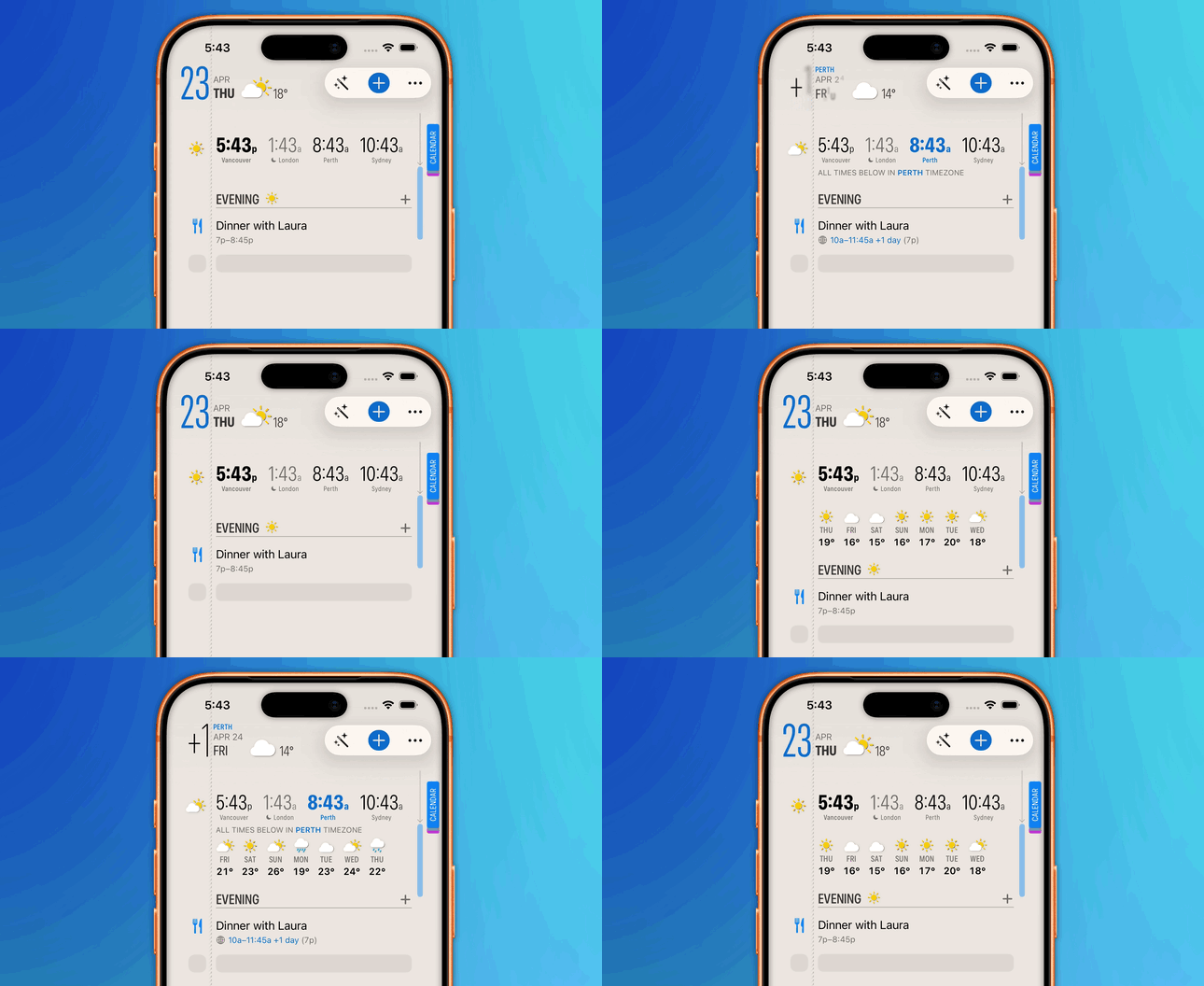
Scheduling in another timezone is just as easy. Every time picker now has a globe button. Tap it, pick a city, and the task you're creating lands in the right hour no matter where you are. Great for flights, calls with teams overseas, or planning around a trip you haven't taken yet.
Weather Forecasts
You don't need to use the World Clocks to get the new forecasts in Daily. Weather sits right in your Daily tab when you want it. Pick between an 8-hour or 24-hour hourly forecast, or a daily view up to 10 days out. Both turn on from the new Layout sheet, and both respect your active World Clock city. Planning outdoor time or travel has never been this glanceable.
Journal Photos & Location
The Journal gets an upgrade too. Your Journal is now sectioned into months, and each month gets a Map view: it shows your month's location check-ins across the map, with handy photo thumbnails to remind you what you did there. Your check-ins are also connected into a timeline, so you can explore your month's timeline on the map itself. It's very addictive you get started!
Long press the photo button to either pick from your library or take a new shot. Every photo becomes a polaroid-style stamp that remembers its date and location. Tap the photo for an enlarged preview.
Photos save at a better resolution than before, while staying just as light on storage. And the Journal itself is faster now: entries load quicker, the sort order is reversed so the newest is at the top, and you can browse by month or jump to Recententries in one tap.
Layout & Daily Tab Customization
Your Daily tab is now yours to arrange. The new Layout sheet lets you rearrange, show, or hide any section: World Clocks, Weather, task lists, events, triage, etc. If you never use a section, hide it. If you want something on top, drag it up.
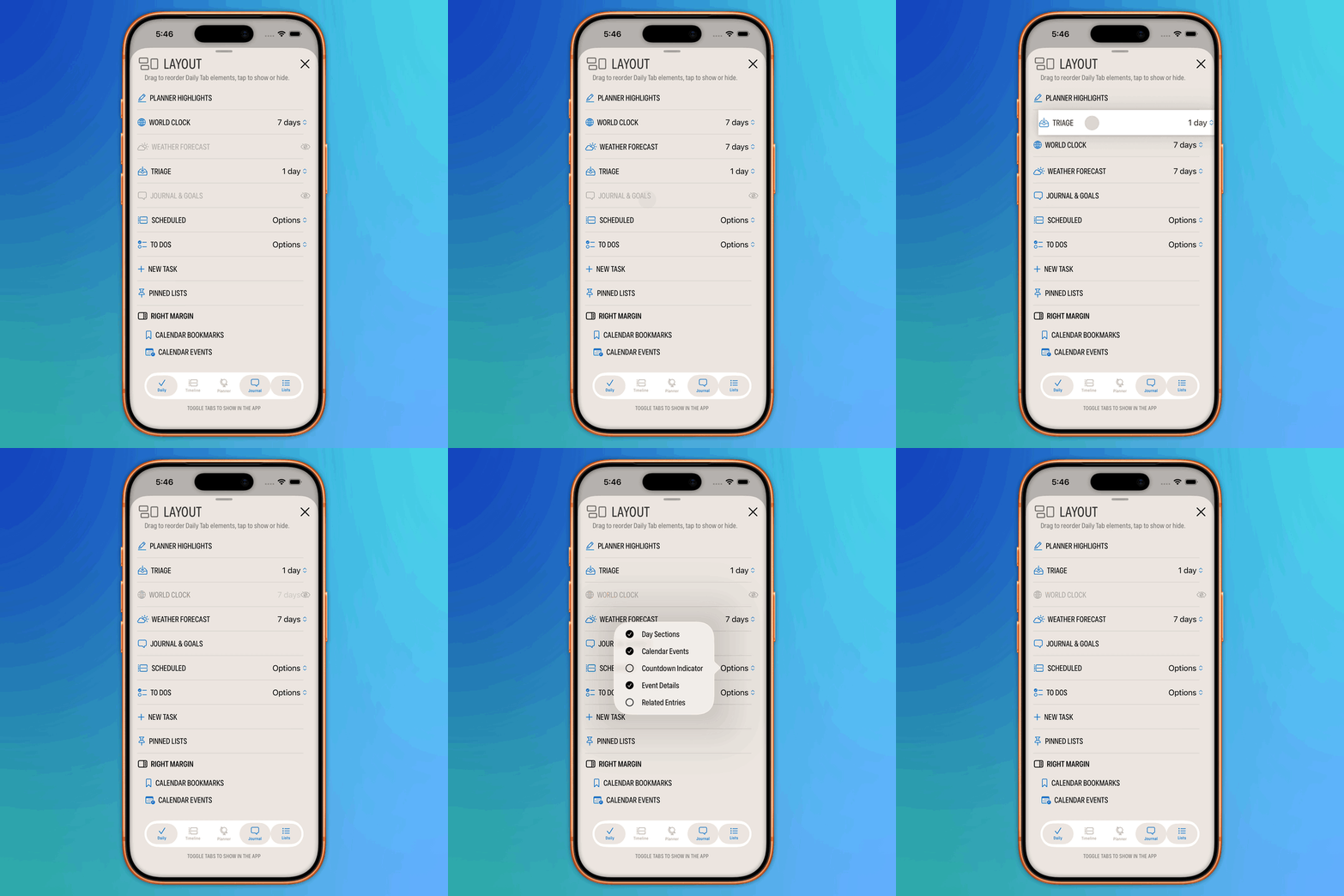
There are smaller toggles in there too. A new countdown indicator switch lets you show or hide countdowns on scheduled tasks, and a new option shows reminder list names as tags in your Daily view, so you can see at a glance whether something belongs to Work, Home, or Groceries.
Monthly Sidebar on iPad and Mac
The sidebar is now resizable. Grab the handle and swipe horizontally to find your size. It remembers where you left it. Three layout modes adapt as you resize: wide shows full task rows, medium shows compact text, and collapsed shows just the day numbers for quick navigation. In collapsed mode, your Year Highlights take over, making the sidebar double as a yearly compass.
Calendar Setup Sheet has Some New Tricks
The Calendar setup sheet got a compact overhaul. One row per calendar, which expand to give you more control over various calendar options: inline toggles, info popovers, no more icon legend to memorize.
Two useful additions to calendar options this round: Hide duplicate events that appear across multiple calendars, and a new per-calendar option to clean up shouting titles like "🏁 FORMULA 1 ARAMCO JAPANESE GRAND PRIX 2026 - Race". You can also now minimize any calendar, including your own, when you want it out of the way but not gone.
Live Activity & Yearly Planner
Live Activity now picks up your chosen theme colors and uses condensed typography, so it looks like a Finalist detail, not a generic system widget. In Yearly Planner, long pressing any day now shows a popover preview of that day's task, which makes the yearly view feel a lot more useful day to day.
Everything else
A few more improvements worth calling out:
- Settings reorganized into collapsible sections for easier browsing
- Swipe gestures on tasks now work on iPad
- Better photo snap management with fixes to deleting and managing attached images
- Fixed Hear Summary reliability
- Plus many small performance and layout fixes throughout the app
Finalist 3.7 is available now on the App Store. It's a free update for existing users, with a free trial and both yearly and Lifetime licenses.
Take Finalist with you on your next trip, you might find your planner is a better travel companion than you expected.