
Notebooks & Notes
A real notes home inside your planner. Notebooks, the Inbox, notes on your Daily page, and notes that carry their own tasks.
Notes have been in Finalist's bones since the first data model, and in 4.0 they finally get a proper home. The idea stays true to the rest of the app: notes aren't a separate world, they're part of your day. A note can sit in a notebook, carry its own tasks, and show up on your Daily page exactly when it's relevant. Notes require iOS 18 or macOS 15.
The Notes tab
The Notes home gathers everything: Search across all your notes, the Inbox for unfiled notes, a Recent section, your Notebooks, any connected markdown files, and a Tags cloud collecting tags from both native notes and markdown files.
Recent lists the last four notes you created or edited, native notes and markdown files alike, each with how long ago it was touched. Tap the header to collapse the section; the choice sticks, and syncs across your devices.
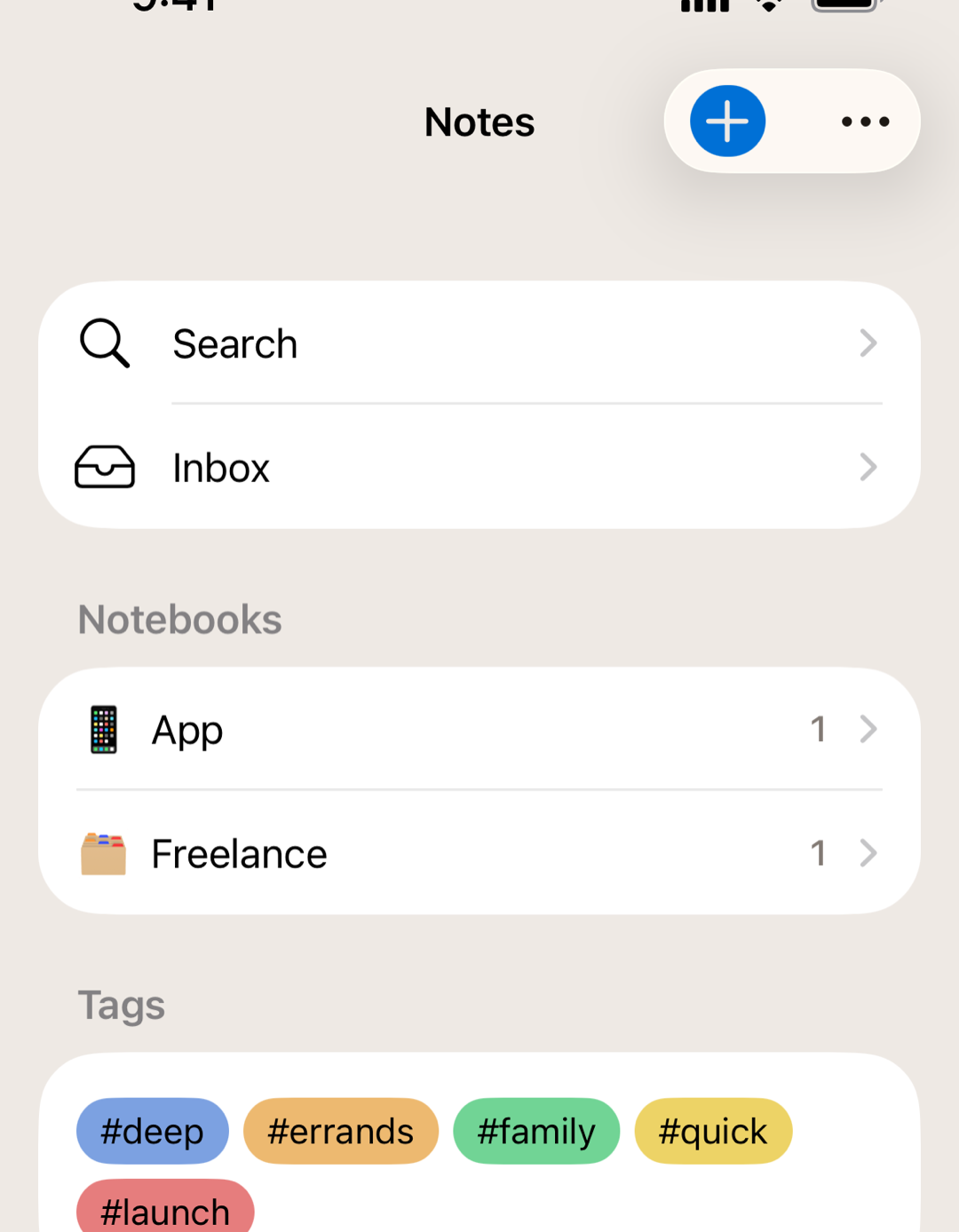
Notebooks
Create a notebook with Add Notebook, and nest sub-notebooks inside for structure that matches your projects. Long-press a notebook to Rename it, Change Emoji, or Delete it; deleting asks whether the notes inside go too (into the Deleted folder, where you can still recover them), or get unfiled to the Inbox instead.
Notes
A note has a title, a markdown body (see Writing in Markdown), tags, an optional date, and a pin toggle. New notes land wherever you create them, or in the Inbox when captured on the fly. You can also speak a note into existence: Dictate has an Add Note button that saves your transcription with an AI-generated title.
Note text follows your device's text size (Dynamic Type) and the text size setting in Finalist's own Settings, so long reads stay comfortable at whatever size suits you.
Deleted notes
Deleting a note doesn't destroy it. It moves to a Deleted folder that appears at the bottom of the Notes home whenever there's something in it. Swipe right on a note there to Restore it (if its notebook was deleted too, the notebook comes back with it), or swipe left to remove it permanently. Delete All in the toolbar empties the whole folder in one go; that one can't be undone.
Notes on your day
This is the planner twist. Turn on the Notes section in the Layout editor and two kinds of notes appear on your Daily page:
- Pinned notes stay every day until you unpin them: the project brief, the weekly focus, the packing list. Pinned notes show a small pin badge.
- Dated notes appear only on their date: agenda notes on meeting day, the itinerary on travel day. Set the date with Show on day in the note editor.
Show them as sticky-note cards or compact rows (long-press to switch). Tap one to open it in Notes. Long-press a note to pin or unpin it, or use Remove from This Day to take a dated note off that day (the note itself stays in your notebook).
Notes that contain things
A note can hold sub-notes, nested with disclosure chevrons, so a project note can contain its meeting notes. And it can hold sub-tasks with real checkboxes, so the plan and its action items live in one place; those work just like subtasks on a task.
Related: Writing in Markdown · Connected Files & Obsidian · The Five Kinds of Things