
Your First Day
Add a few tasks, check one off, flip to tomorrow, and punt something. The whole idea in ten minutes.
The fastest way to understand Finalist is to plan one real day with it. This takes about ten minutes, and by the end you'll have used everything that matters.
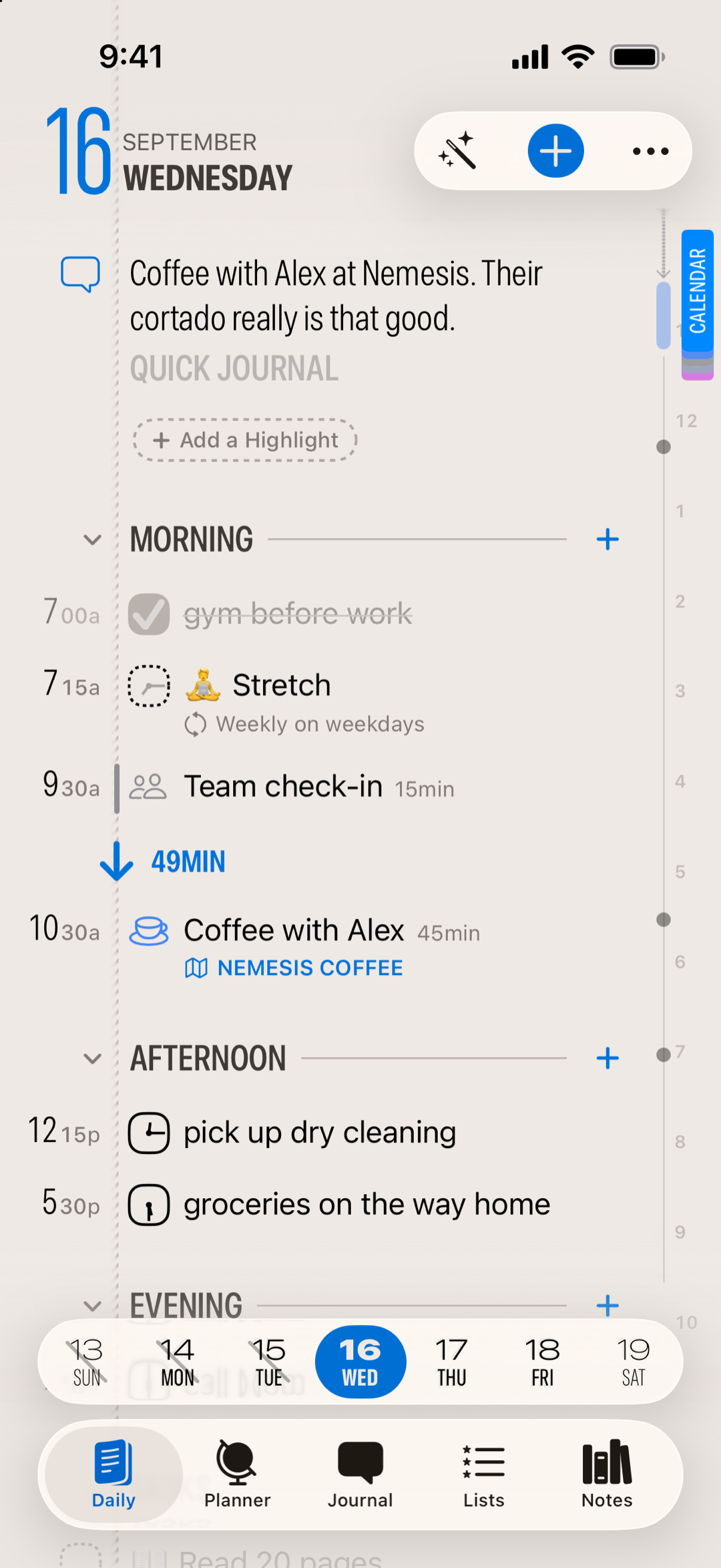
1. Write down three things
Open the Daily tab. That's today. Tap the empty space below your tasks and just type: "Reply to Sam." Done. Tap again, add another. No forms, no required fields. It's as close to jotting on paper as an app gets.
For the third one, include a time right in the text: "Call the dentist at 2pm." Finalist reads the time and schedules it, no date picker needed.
2. Check one off
Do the easiest one, then tap to check it off. That's the whole loop: write it down, do it, check it off. Everything else in Finalist exists to serve this loop.
3. Flip to tomorrow
Swipe left from the edge. That's tomorrow, a fresh page. Add something you know is coming tomorrow, notice the Daily tab has become a Today button whenever you're elsewhere; tap it to snap back to the present or swipe back.
4. Punt something
Now the part that makes Finalist different. Look at your list: is there something that realistically isn't happening today? Swipe right on that item and choose Tomorrow. Or if you're on Tomorrow (or any other day), swipe right on a task to bring it to Today.
Nothing bad happened. No red badge, no "overdue" scolding. The task is just sitting on tomorrow's page, where you'll meet it fresh. That's punting, and it's part of honest planning. Finalist never moves tasks forward for you, so every item on today's page is there because you chose it.
5. Glance at the hours
Switch to the Timeline tab. Your 2pm call is on the hourly grid. When a day gets busy, this is where you see whether your plan actually fits into your hours. There's more in Timeline & Time Blocking.
That's it
You now know Finalist. Everything else builds on this loop: lists, habits, widgets, the journal. A good next read is The Five Kinds of Things, which explains the item types you'll meet as you connect calendars and reminders.
Related: The Five Kinds of Things · Your Daily Page · The Daily Rhythm
Ready to plan your first day? Download Finalist on the App Store.