The Intentional Phone
Finalist is now ready for iPhone Duo, with new layouts, themes and colors. And yes, they're all coming to regular iPhones too.
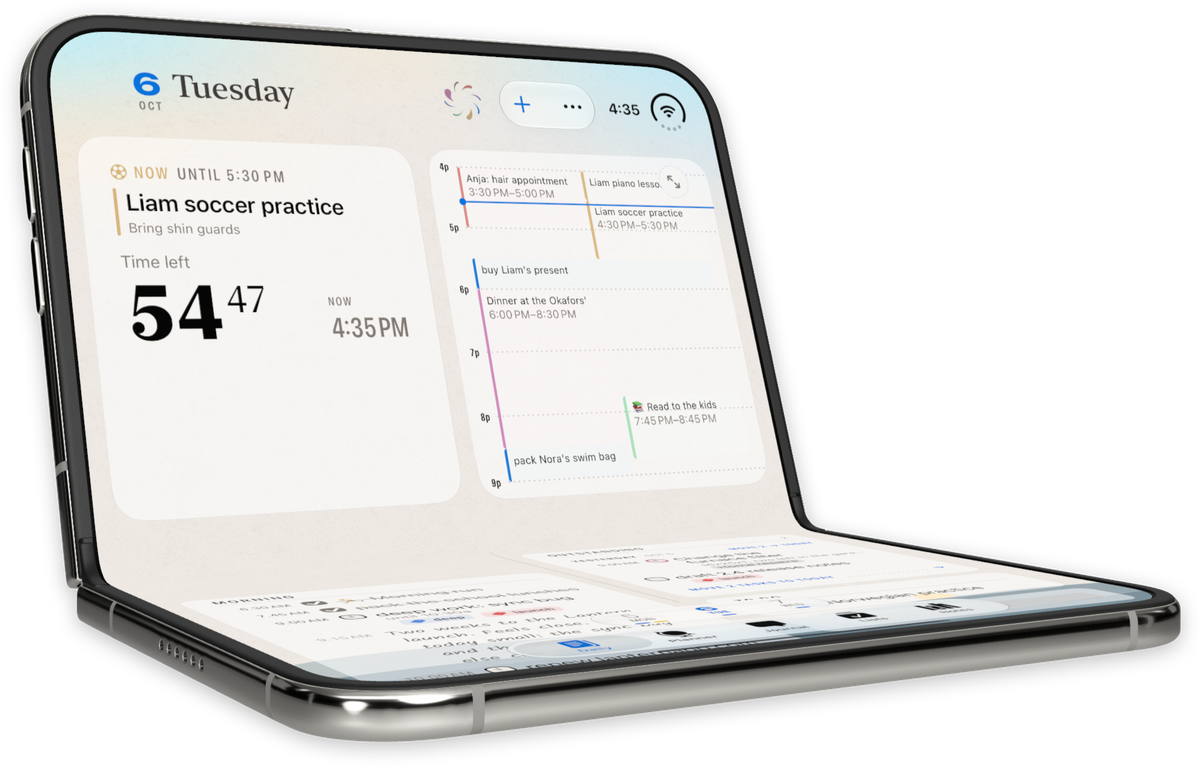
I've spent the past month building for the new iPhone Duo across three of my apps, studying every pose it can take, and I'm officially Duo-pilled. Finalist was a joy to adapt: it has always been a paper planner in software, and Duo is the first iPhone that opens like a notebook.
The surprise was how much of that work made Finalist better on a regular iPhone and iPad too. So even if a Duo isn't in your plans, there's a lot in here for you.
Casual and intentional
What interests me most about Duo is its duality (ahem) of use, casual and intentional. Closed, it's a small screen that answers a quick question and goes back in your pocket. Opened, you're holding it in both hands like a book or an iPad, and you've probably sat down to do it.
I've started thinking about Duo as the intentional phone. On every iPhone I've owned, checking the time or spending twenty minutes scrolling socials starts the same way. Duo asks you to make a decision before you get into it.
It also happens to be how paper planners work, especially discbound ones. They sit on your desk folded back to today's page, and when it's time to think about your week you open it flat.
Finalist on Duo
Finalist on iPhone Duo
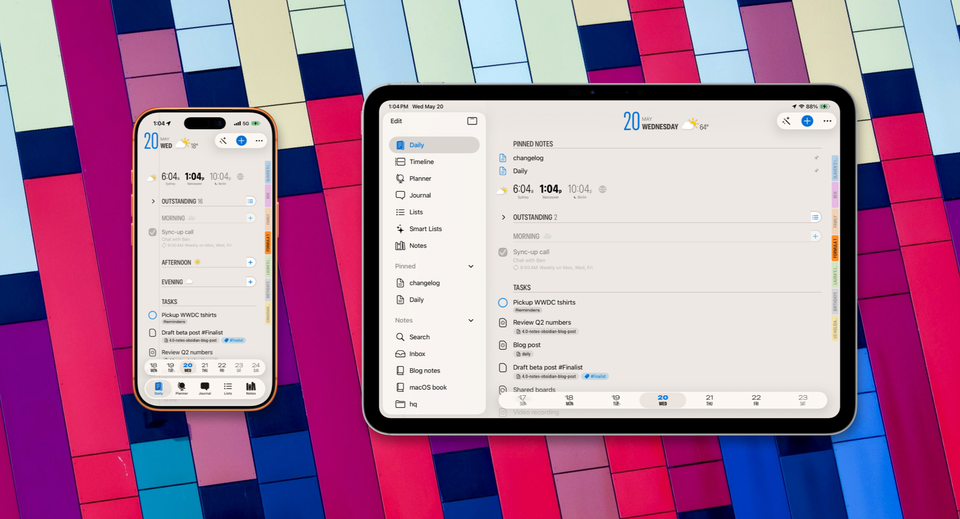
Here's how Finalist works on Duo: the front screen runs the whole app, with the same tabs and settings as any iPhone, so you can check what's next, tick something off or add an event in a few seconds.
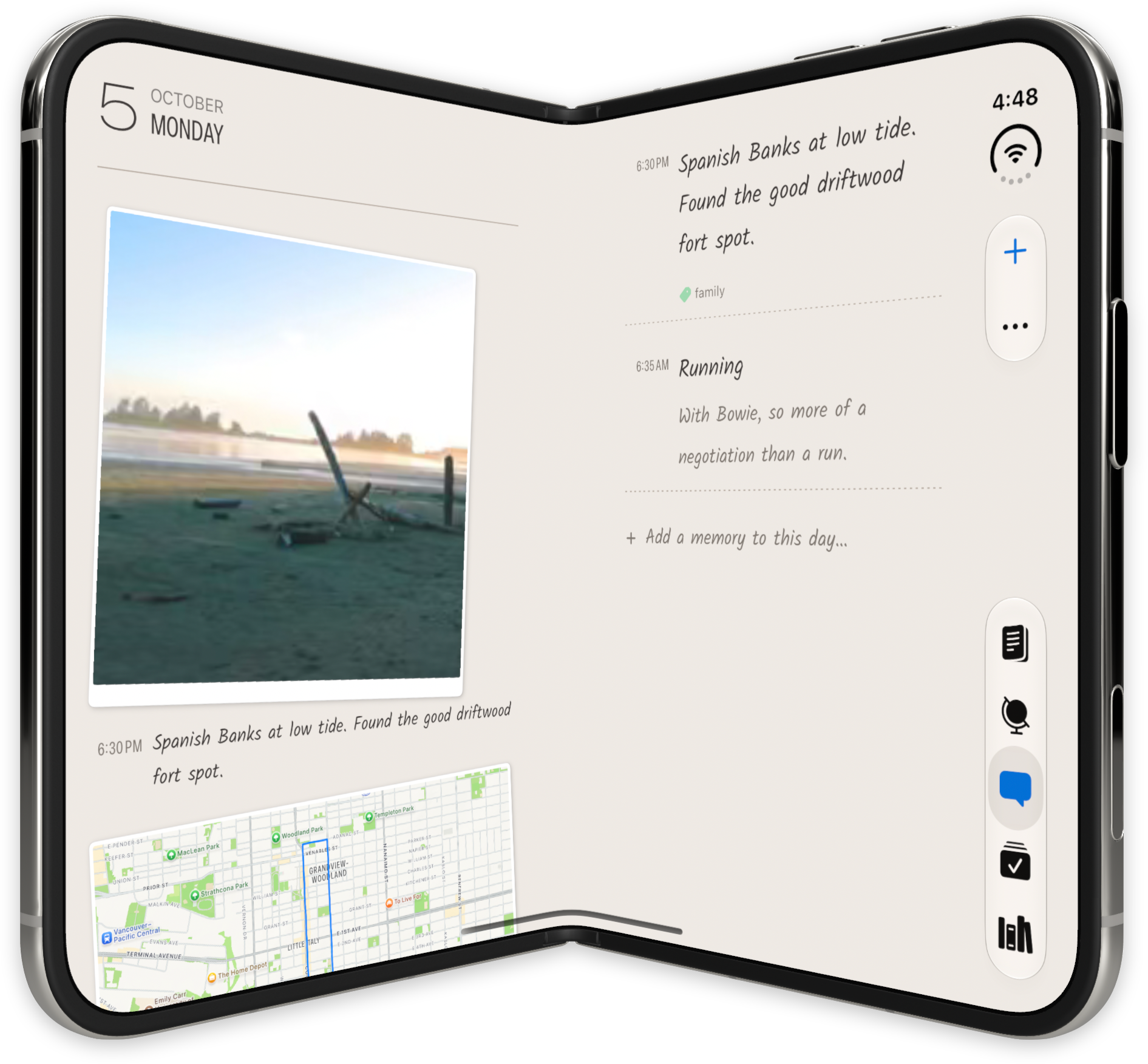
Open it and the two-page layouts take over. Your Agenda sits on one page and the Timeline on the other, meeting at the hinge if partially opened.
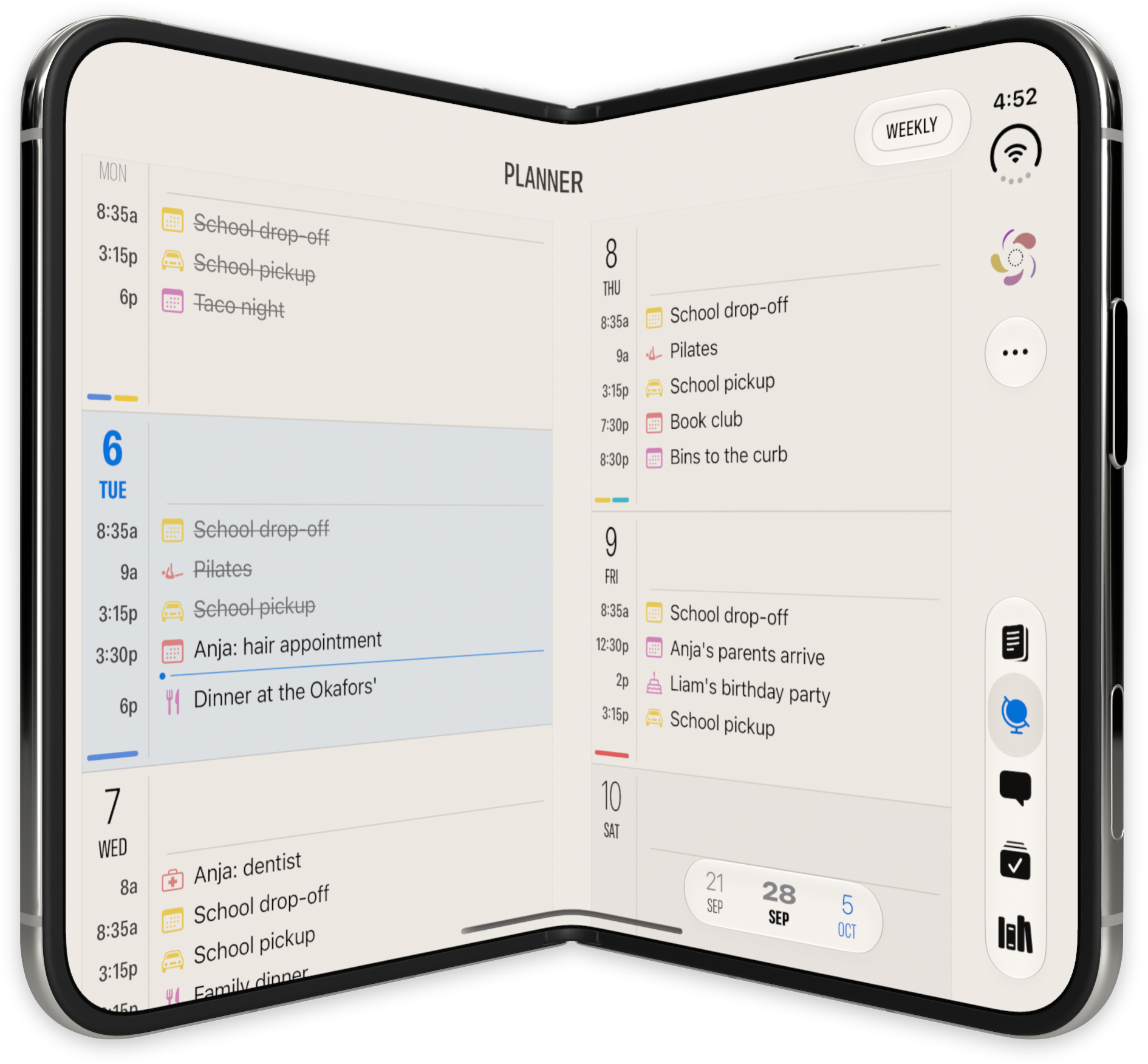
In the Planner, the new Weekly Timeline gives every day its own column, with the day's hours on top and the remaining tasks below.
The new Day Review puts your day's plan on one half and the tasks waiting to be considered on the other. Just swipe right on tasks to add them to Today, or swipe left to punt them to Someday.
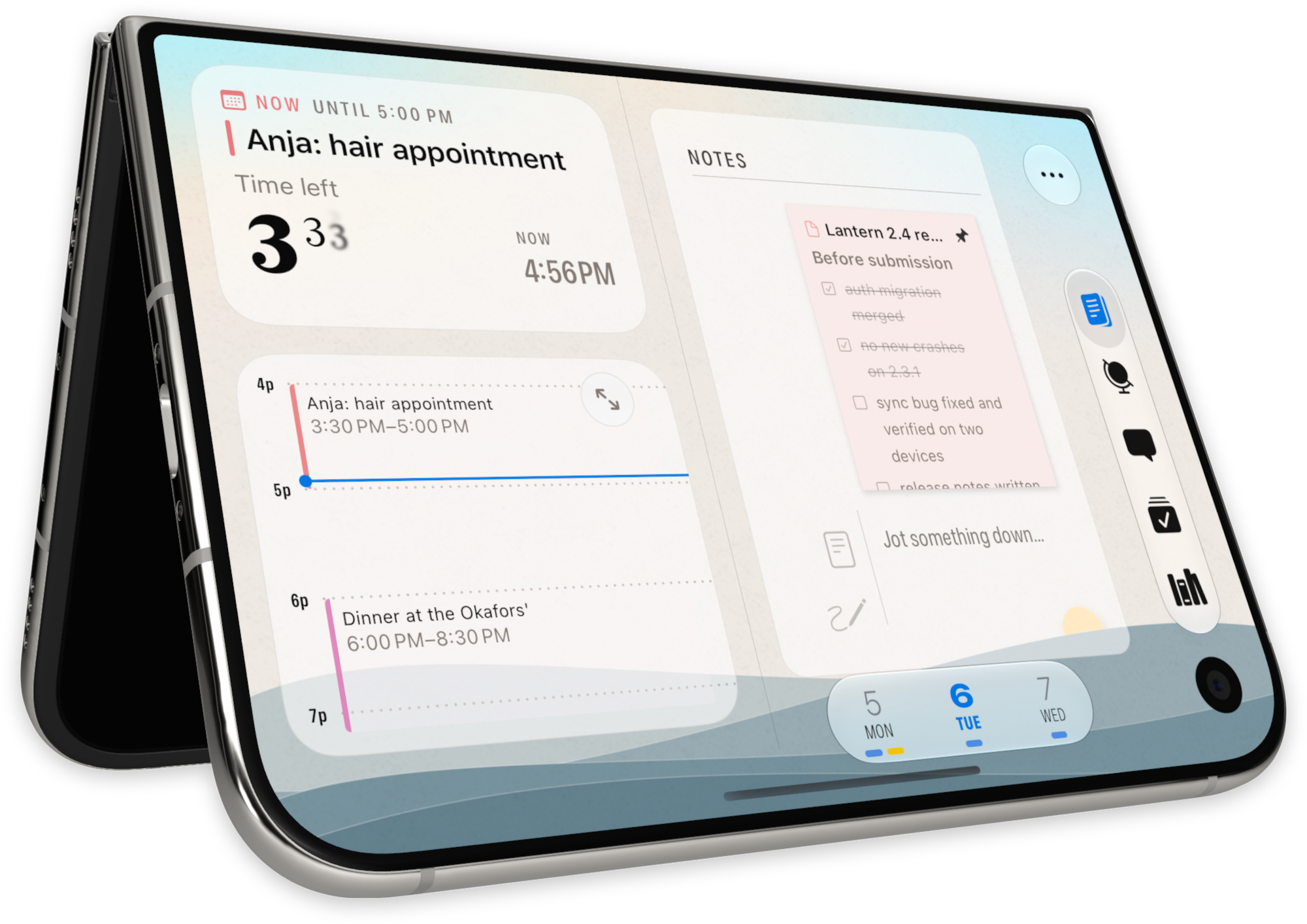
Prop Duo half open like a little laptop and the top half becomes a Desk Clock: what's coming up and when, what's on now, how much time is left in it, and a checkbox to finish it.
Flip it over into let's-not-call-it-tent mode and the front screen shows you just the clock and the small timeline next to it.
But poses don't end there: close the phone and place it horizontally in landscape orientation, or open it up and use it in portrait for a perfect view of the Broadsheet template.
Each of these poses is now recognized as a Layout destination, so you can customize it to show exactly what you want.
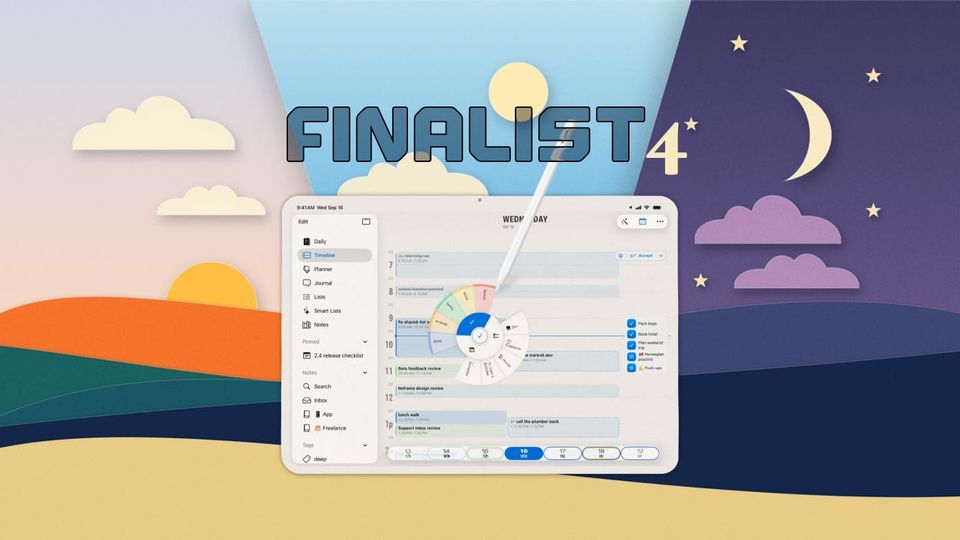
And to add a bit of spice to the whole thing, there's a new theme that pairs so well with Duo: Follow the Day. You'll see a bucolic landscape sitting behind your pages, following your day. The sun rises and sets behind the hills, timed to your location's sunrise and sunset times, the colors shift with the hour, and the moon shows up in its actual phase. It reminds you where you are in the day while you plan it. I love it on my iPhone, and across two open pages on Duo it looks gorgeous.
And yes, if you toggle a World Clock to a faraway location, Follow the Day will transport you there.
iPhone, iPad and Mac got better too
A lot of iPhone Duo work benefited all the platforms, here are some examples:
Landscape iPhone. As I designed the many poses of iPhone Duo, I realized I'd love to have those available for iPhone in landscape orientation. So after more than 3 years of locked portrait UI on iPhone, Finalist finally allows rotation.
Lens. The Calendar Bookmark bar had nowhere good to live on Duo, so I extended it with Lens, a small ribbon ring in the toolbar that shows which calendars are on today and how busy each one is. Tap it to switch calendars and tags, or turn on Solo. It works great on regular iPhone as well, and as a bonus you can filter and manage the Planner with it. The bookmark bar is still there if you love it.
The Timeline moved in with Daily. Putting Agenda and Timeline side by side meant the Timeline couldn't be its own tab anymore, so it became the other face of Daily. Now you can drag a task onto the Timeline, drag it back to take the time off, with full Undo just below.
Every screen keeps its own layout. Duo has several poses, and each one wants a different Daily layout. So Daily now remembers a layout per screen setup on every device: just your Agenda, Agenda with the Timeline, or the Desk Clock with both. My regular portrait iPhone shows just my agenda on Daily, but if I rotate it 90 degrees it lets me focus, showing my countdown clock, quick timeline and tasks.
Try it
All of this is in Finalist 4.2, now in TestFlight, on any iPhone, iPad or Mac. To chime in on design and layouts, come and join us on Discord.